


AlfaOBD
3.5621.00 Reviews
App Specs
- Version
- 2.4.4.0
- Updated On
- License
- $49.00
- Downloads
- 100,000+
- Developer
- AlfaOBD Autodiag
- Categories
- Auto & Vehicles
- Platform
- Android
Screenshots
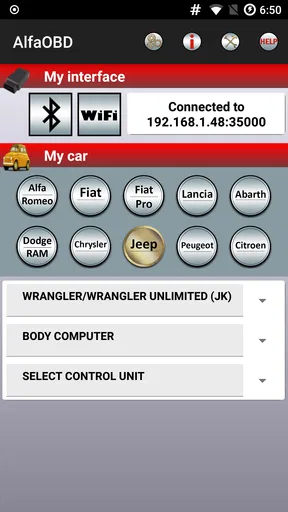
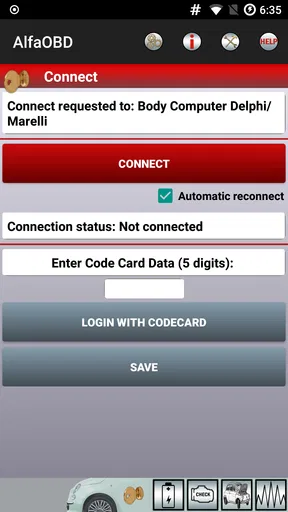
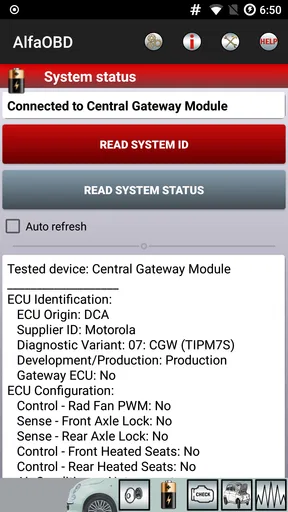
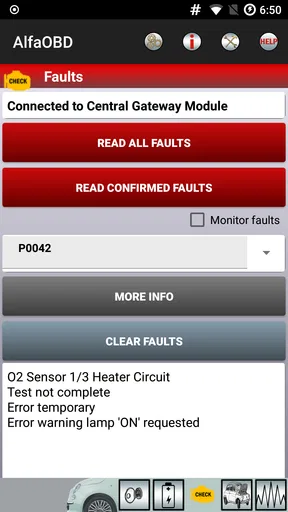
 Analysis by AppCompare
Connection is part of the job with AlfaOBD: the app is only one part of a setup that also depends on a compatible vehicle and an OBD-II adapter. I’d treat it less like a quick phone scan and more like a hands-on diagnostic session. That distinction matters if you’re choosing between a general-purpose reader and a tool aimed at deeper access to Fiat Group systems.
What you need before connecting
Before paying for AlfaOBD, I’d first check whether your vehicle and adapter are a suitable match for the work you want to do. An OBD-II plug alone doesn’t guarantee every function will be available on every model. For a first session, keep the goal modest: connect, identify the relevant system, read information, and understand what the app is showing before attempting any change.
That approach also helps separate an adapter problem from a vehicle problem. If a connection fails, check the physical plug, adapter pairing or cable, and the selected vehicle details before assuming the car has a fault. A rushed diagnosis can turn a simple setup mismatch into unnecessary worry.
Choosing it over a basic scanner
A basic code reader is often the better choice if all you want is a quick engine-code check and a plain-language starting point. AlfaOBD makes more sense when you specifically need to explore Fiat Group vehicle systems beyond that narrow task. Its appeal is depth, but depth comes with more decisions and a greater need to know what a command or setting is meant to do.
I wouldn’t buy it just because a dashboard warning appeared. First decide whether you want to read information, investigate a recurring issue, or make a configuration change. If you only need occasional reassurance, a simpler scanner or a mechanic’s diagnostic session may be less demanding. If you enjoy learning how your car’s systems fit together, the extra complexity may be worthwhile.
A sensible first session
Imagine a warning light comes on before your commute. Rather than clearing it immediately, I’d park safely, connect the adapter, read the fault information, and note what the app reports. Then I’d look for whether the fault is active or stored, if that distinction is shown for the selected system, and whether the symptoms match what I’m experiencing. The useful result is a better-informed next step, not simply a dashboard with fewer lights.
Clearing a code is not the same as fixing the cause. If a warning returns, or the car behaves unusually, use the information to guide proper diagnosis rather than repeating the clear command. A phone-based tool can help you investigate, but it cannot make a mechanical issue safe to ignore.
Worth Reading Before You Choose

EA SPORTS FC Mobile 26 Is a Bigger Football Game, but It Takes Time

Flipboard Shows What News Apps Must Do Beyond the Feed

Switching to Android Auto Means Rethinking Your Driving Routine

Google Calendar Makes a Crowded Week Easier to Manage

Ludo King Makes the Most of the Minutes Between Plans

Baby Panda World Brings Quick Play to Modern Phones, but Its Game Library Feels Busy
Connectivity in a driveway or workshop
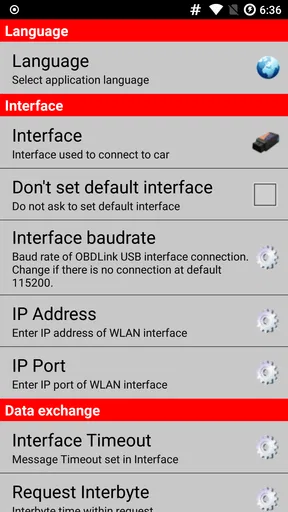
In my experience, the most comfortable place to use a diagnostic app is somewhere you can leave the vehicle stationary and focus on the screen. Bluetooth can make a cable-free setup convenient, while USB may suit a user who prefers a wired connection; either way, the adapter and phone need to communicate reliably. I would avoid trying to navigate menus while driving, and I’d keep the phone positioned so it cannot distract me or interfere with vehicle controls.
Connectivity can also affect how you plan a task. Pair the adapter and open the app before you begin a longer diagnostic session, rather than discovering a connection issue halfway through. If the connection drops, stop the operation and check the adapter and app state before starting again. That pause is especially important when you’re working with settings or procedures that change vehicle behavior.
Changes deserve a cautious workflow
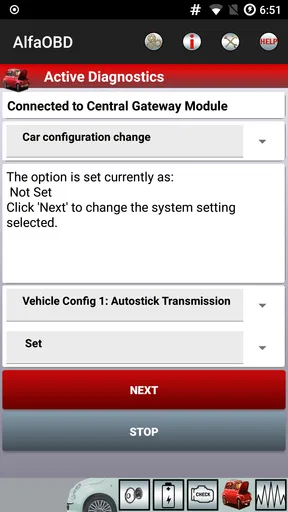
Configuration options can be tempting because a small adjustment may seem harmless. I’d record the original setting or take a clear note before changing anything, then make one change at a time and check the result. This gives you a way to retrace your steps if the outcome is unexpected. It also makes troubleshooting far easier than changing several options in one session and trying to guess which one caused a problem.
For advanced procedures such as key programming or actuator tests, I’d slow down further and confirm that the procedure matches the exact vehicle and situation. These are not casual experiments to try while parked in a hurry. If you are unsure, a qualified technician is the better option; the cost of a mistake can outweigh the satisfaction of doing it yourself.
Who will get the most from it
The app is aimed at owners and DIYers who are comfortable learning vehicle-specific systems and who expect to use a suitable adapter. It can also be useful to someone who wants to gather more information before speaking with a repair shop. Arriving with a fault code and a description of when it appeared can make a conversation more focused, even when you leave the repair to a professional.
On the other hand, I’d skip it if you want a single-button answer, have no interest in researching vehicle-specific procedures, or only need to check a warning once. There is a learning curve, and the number of options can make it feel less approachable than an ordinary consumer scanner. The best fit is a curious, careful owner—not someone hoping that installing an app will automatically diagnose and repair a car.
AlfaOBD is an Auto & Vehicles app from AlfaOBD Autodiag, with a 3.8 average from around 2.1 thousand ratings and more than 100 thousand installs. It costs $49, is rated for Everyone, and its current version is 2.4.4.0; it has been available since July 4, 2012, and supports Android 4.0.3 and later. I’d weigh that price against the depth you expect to use, rather than comparing it only with a basic code reader.
Unleashing the Power of AlfaOBD
First things first, let’s talk about what AlfaOBD actually does. It's a comprehensive diagnostic tool for Fiat, Alfa Romeo, and Chrysler vehicles. Essentially, it lets you communicate with your car’s onboard systems and access information that would otherwise be hidden from the average driver. Sounds cool, right?
Setting up the app is pretty straightforward. You’ll need an OBD-II adapter to connect to your vehicle, and you can use either a Bluetooth or USB connection. Once you’ve got that sorted, you’re ready to start exploring!
Diving into the Features
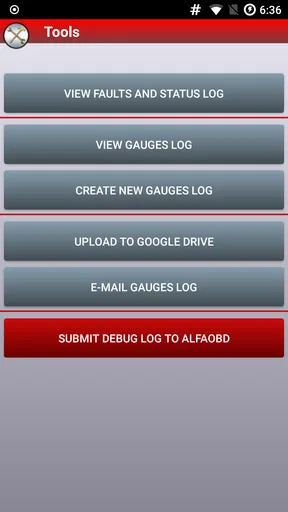
Let’s move on to the good stuff. AlfaOBD is packed with features that let you peek into almost every nook and cranny of your car’s system. You can read and clear fault codes, which is super handy if you’re trying to troubleshoot a pesky check engine light. But it doesn’t stop there.
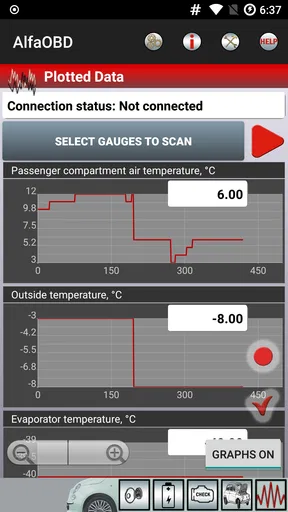
One of the standout features is the ability to perform advanced diagnostics and programming. You can access live data streams, perform actuator tests, and even program new keys. Yup, you heard that right. If you’ve lost a key or just want a spare, AlfaOBD has got you covered.
Customization Station
Now, if you’re anything like me, you love a bit of customization. AlfaOBD lets you tweak and tune various settings to your liking. Want to disable that annoying seatbelt chime or change the behavior of your daytime running lights? Go for it!
It’s like having a magic wand that lets you wave away the little quirks that bug you. Just remember, with great power comes great responsibility. Make sure you know what you’re doing before you dive in too deep!
Interface and Usability
Let’s chat about the interface for a sec. AlfaOBD isn’t winning any beauty pageants, but it’s functional and gets the job done. The app can be a bit overwhelming at first with all its options and settings, but once you get the hang of it, navigating becomes second nature.
One tip is to start with the basics and gradually explore the more advanced features. The app offers a help section that’s worth checking out if you’re ever stuck or unsure about something.
Getting the Most Out of AlfaOBD
So, how do you make the most of this powerful tool? Well, it’s all about experimentation and learning. There are plenty of online communities and forums where fellow AlfaOBD users share tips, tricks, and troubleshooting guides. Don’t be shy about diving in and asking questions.
And hey, if you ever feel like you’ve bitten off more than you can chew, you can always revert changes or seek advice from a professional. It’s all about finding that balance between exploration and caution.
Final Thoughts
In a nutshell, AlfaOBD is a fantastic app for anyone wanting to gain deeper insights into their vehicle. Whether you're diagnosing issues, programming keys, or just curious about your car's inner workings, this app offers a treasure trove of information and capabilities.
So, are you ready to become best friends with your car? If you’re up for the adventure, give AlfaOBD a spin, and let me know how it goes! Trust me, your car will thank you for it.
Pros
- Comprehensive diagnostic tool.
- Supports a wide range of vehicles.
- User-friendly interface.
- Regular updates improve functionality.
- Detailed error code descriptions.
Cons
- Limited to FCA vehicles.
- Requires a compatible adapter.
- No free trial available.
- Complex features may overwhelm new users.
- Not available for iOS devices.
FAQs for AlfaOBD
What is AlfaOBD and what devices does it support?
AlfaOBD is a diagnostic software designed primarily for Fiat Chrysler Automobiles (FCA) like Alfa Romeo, Fiat, and Dodge. It supports both Android and Windows devices, allowing users to perform diagnostics and configurations. Be sure to check the compatibility of your specific car model and device before purchasing.
Is AlfaOBD user-friendly for beginners?
While AlfaOBD offers a range of advanced diagnostic features, it might be somewhat challenging for beginners without prior experience in automotive diagnostics. However, the app provides comprehensive documentation and community support that can help new users navigate and utilize its features effectively.
What are the key features of AlfaOBD?
AlfaOBD provides a variety of features including reading and clearing diagnostic trouble codes, live data monitoring, and advanced ECU functions like actuator tests and adjustments. It also supports key programming and module configuration, making it a powerful tool for car enthusiasts and professional mechanics alike.
How secure is AlfaOBD for my vehicle's systems?
AlfaOBD is designed to interact with your vehicle’s electronic systems securely. However, improper use may lead to unintended changes or issues. It is crucial to follow the provided instructions carefully and ensure you understand each function before applying any changes to avoid potential risks.
Does AlfaOBD require additional hardware to function?
Yes, AlfaOBD requires an OBD-II interface to connect your device with the vehicle. Compatible interfaces include ELM327 or OBDLink LX/MX. Ensure the interface is compatible with AlfaOBD and your vehicle for optimal functionality. Some interfaces may have limitations, so research before purchasing.


